Save Web Content or Screen Capture Directly to Google Drive

Save web content or screen capture directly to Google Drive.

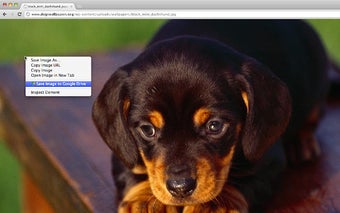
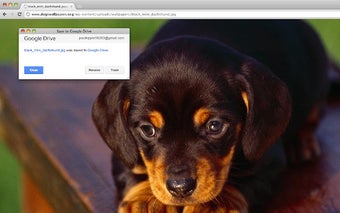
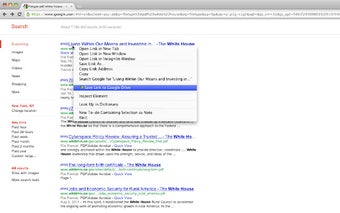
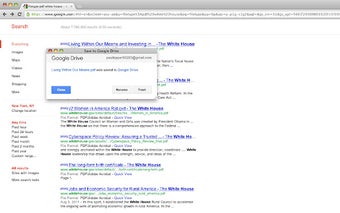
A small app that is able to save web content directly to your Google Drive account. This app lets you take a screenshot, save it to your Google Drive, and make it available offline. This tool is a very handy thing that saves you the time of copying the entire contents of a site. Now, you don't have to save the entire contents of a website, just a single screenshot of it. And it also works very well, that's why I'm sure that you will get the idea about it right away.

You can find the source code at this GitHub page, if you want to get more details about it.

[Features]

Take a screenshot with or without a visible element.

Save it to your Google Drive.

Make it available offline.

Send it to anyone through email or any other service.

 0/4

App specs

  • License

    Free

  • Version

    3.0.9

  • Latest update

  • Platform

    chrome

  • Language

    English

    Available languages

    • German
    • English
    • French
    • Dutch
    • Turkish
    • Spanish
    • Italian
    • Polish
    • Portuguese
    • Russian
    • Arabic
    • Chinese
    • Japanese
    • Korean
  • Downloads

    12

  • Developer

Program available in other languages


User reviews about Save to Google Drive

Have you tried Save to Google Drive? Be the first to leave your opinion!

Add review

Top extensions for Google Chrome

Top downloads Add-ons & Tools for Google Chrome

Top downloads Add-ons & Tools for Google Chrome

Top downloads Add-ons & Tools for Google Chrome

Related topics about Save to Google Drive

You may also like

Alternatives to Save to Google Drive

Explore Apps

Latest articles

Laws concerning the use of this software vary from country to country. We do not encourage or condone the use of this program if it is in violation of these laws.
Softonic

Is Save to Google Drive safe?

100/100

Score result: Clean

This file passed a comprehensive security scan using VirusTotal technology. It is safe to download.

  • Virus free
  • Spyware free
  • Malware free
  • Verified by Security Partners

    VirusTotal logo

Scan Info

Last scan
Wednesday, July 16, 2025
Scan provider
VirusTotal

Softonic security commitment

Save to Google Drive has been thoroughly scanned by our advanced security systems and verified by industry-leading partners. This file comes from the official developer and has passed all our security checks, showing no signs of viruses, malware, or spyware.